

03Portfolio
WireMark — a secure markup language
Extended Markdown for safely formatting comments and descriptions written by users. The TypeScript library has no third-party packages and lets through only what is explicitly allowed. It also has a NestJS integration and a visual editor.
By the numbers
- Kinds of element
- 24
- Third-party packages in the library
- 0
- Maximum text length (characters)
- 100 000
Problem
Comments, descriptions and posts written by users need more than plain text: headings, lists, code, highlights. But every such field opens the door to an XSS attack, where someone slips in code that runs in other people’s browsers: a script in the content, a javascript: link, an image with a script attached, or invisible characters that flip the direction of the text. When you filter finished HTML after the fact, it is easy to miss one of these cases.
Approach
WireMark does not accept HTML at all, so it never has to clean it. Text first goes through a check: a 100,000-character limit, characters brought to one consistent form and removal of invisible control characters. Then the library recognises 24 kinds of element and builds HTML from those alone. It converts special characters into safe equivalents. Links only get through with https, http or mailto (optionally only from chosen domains), images only over https, and colours, box types, code languages and emoji each have their own list of allowed values. Alongside the HTML, the library returns a log of what it rejected and a flag for suspicious content, and a separate function checks text before it is stored. For NestJS there is a ready-made module that wires all of this into an app.
Outcome
The library is done (about 970 lines of TypeScript, with no third-party packages), along with a NestJS integration and two pages in plain HTML and JS. The first is a demo with a live editor and preview, the second a visual editor with a ‘/’ command menu, a floating formatting toolbar, an outline and export to HTML, WireMark or plain text. In the demo, a pasted script, an image with a script attached and a javascript: link are shown as plain text or blocked, and a separate bar lists what was rejected.
How it works
01
Checks first, formatting second
Before anything is processed, the text is capped at a length limit, normalised and stripped of invisible control characters, null bytes and mixed line endings.
02
Only what is allowed
A link only gets through with https, http or mailto (and optionally only from an allowed domain), an image only over https. An unknown badge colour falls back to grey, an unknown box type to the default, and a code-block language name is trimmed to letters, digits, dashes and underscores.
03
An injection stays text
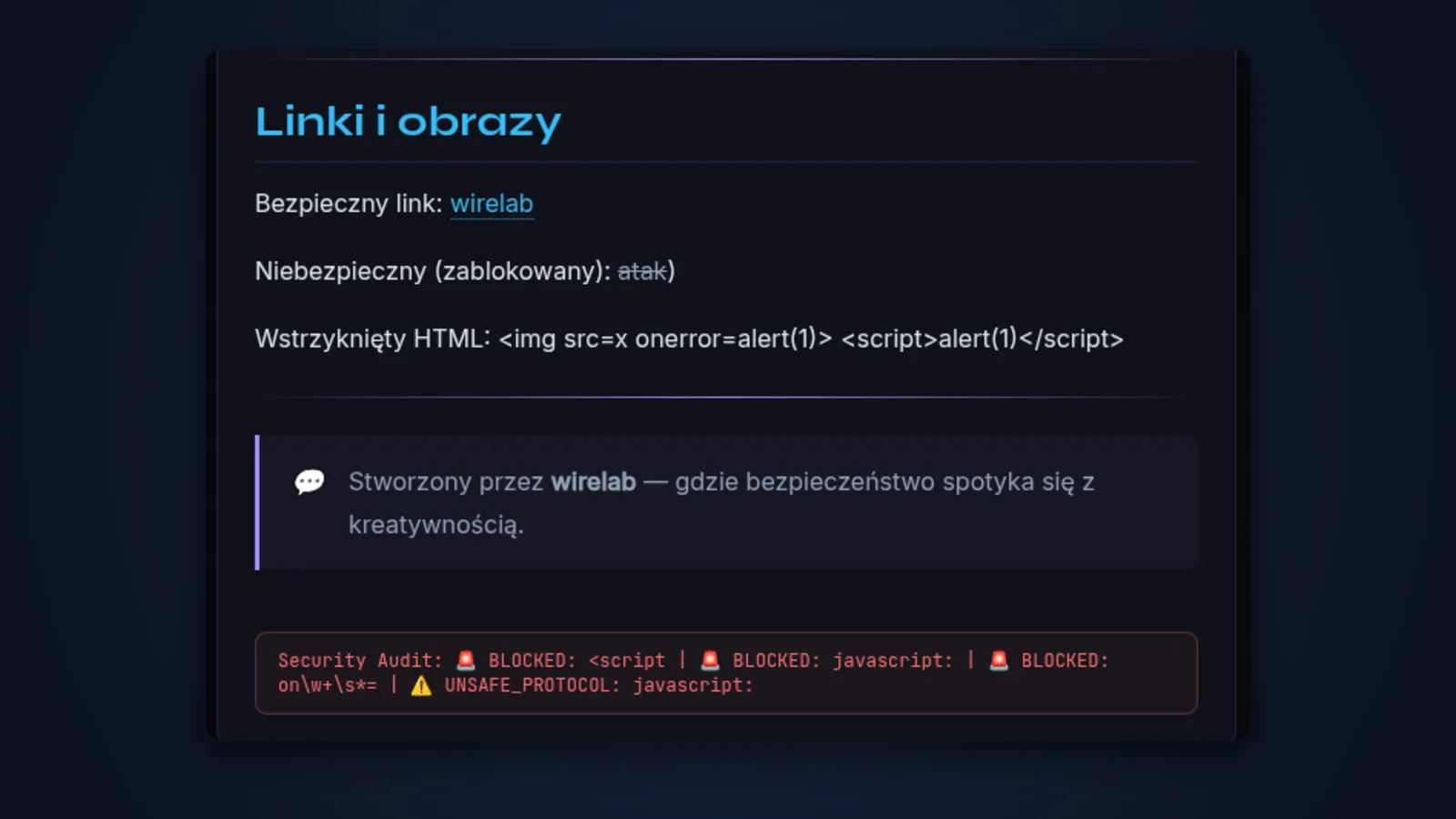
Special characters are turned into safe equivalents, so a pasted <script> or an image with a script attached is shown as plain text and nothing runs. javascript: links are rejected, and every such event goes into the log.
04
Extended syntax
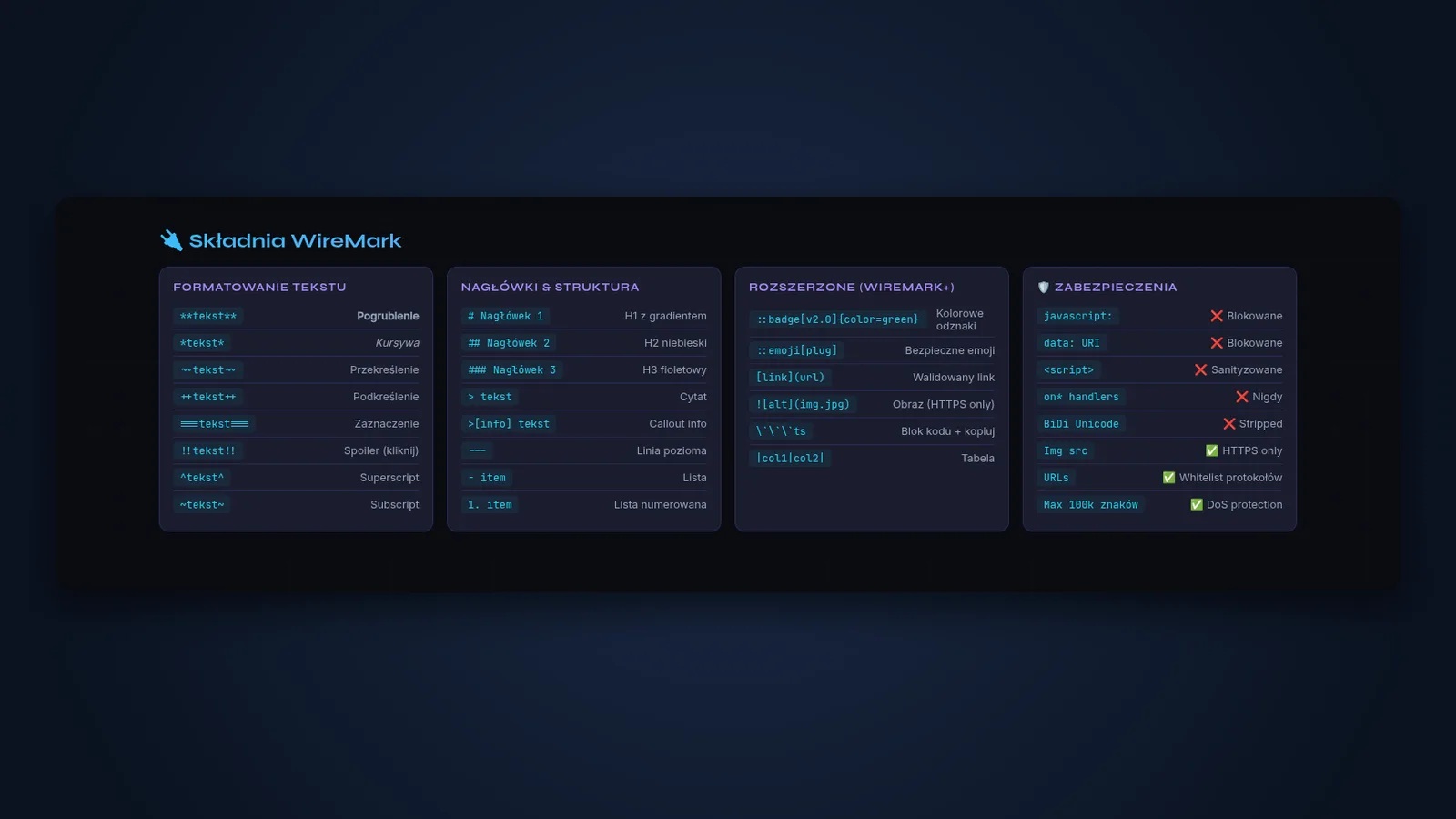
Beyond plain Markdown: boxes for different kinds of note, coloured badges, hidden spoilers, highlights, superscript and subscript, emoji by name from a closed list, and code blocks with a copy button.
05
Ready for NestJS
A ready-made module for NestJS apps. Submitted content can reach your code already converted to safe HTML, and when needed, text can also be processed by hand.